Countdown & Day Counter

Mark the days
that matter.

Count up from your biggest milestones. Count down to your most anticipated moments. Daymark is a countdown and day counter for iPhone, iPad and Apple Watch.

Coming soon to the App Store
Download on the App Store

Get notified when we launch

Almost there! Check your inbox and confirm your email. Can't find it? Look in your junk folder.

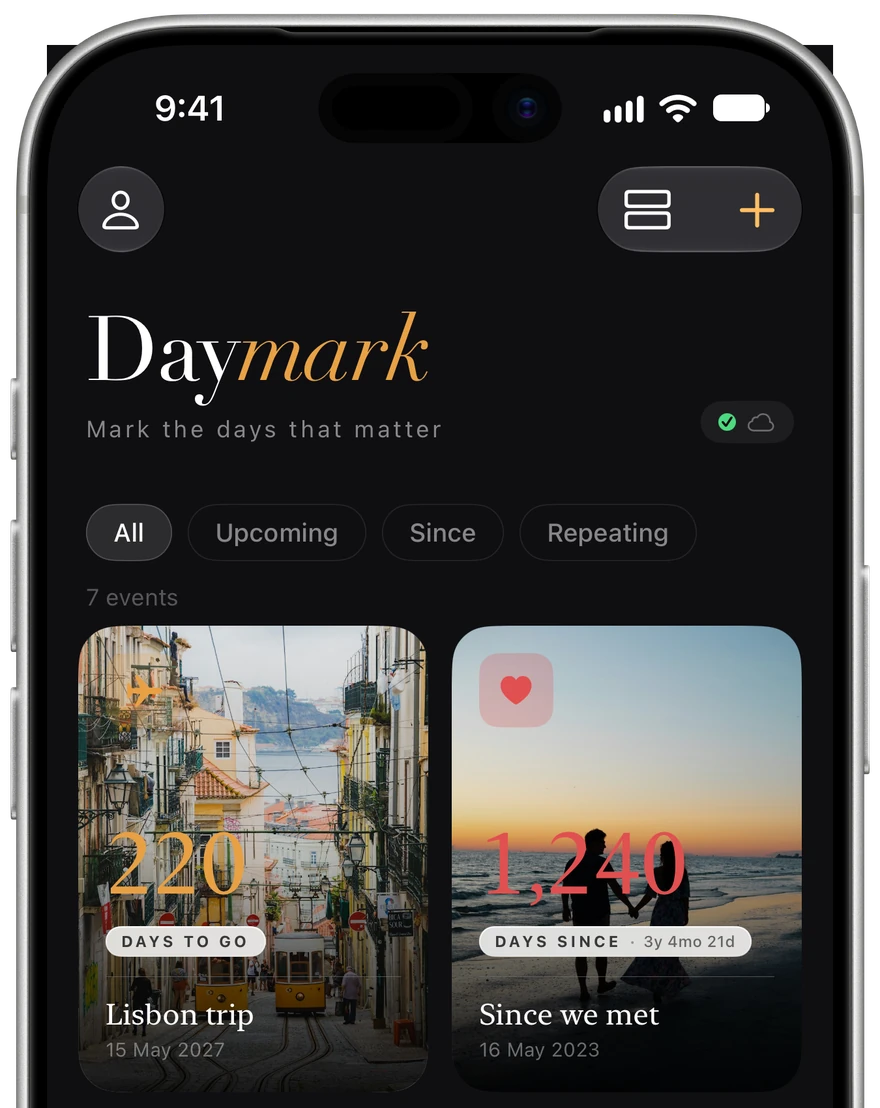
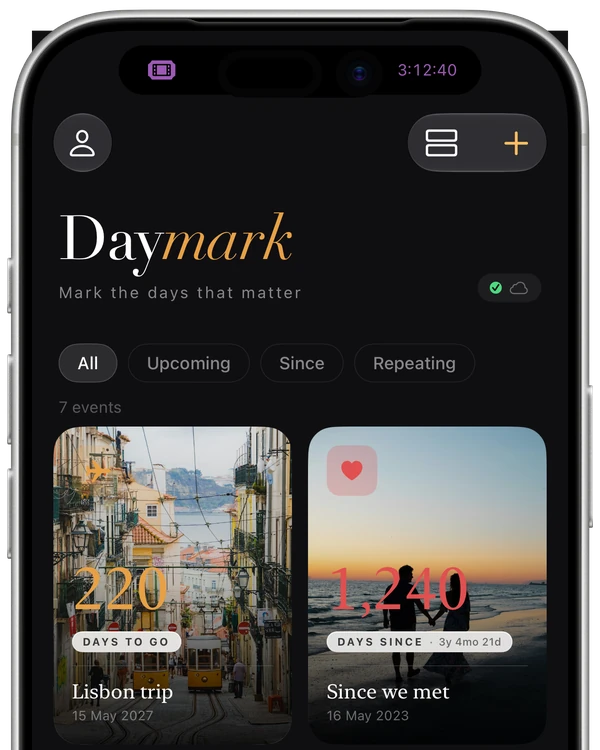
Daymark on iPhone: a grid of countdown cards with photo backgrounds: Lisbon trip in 220 days, 1,240 days since we met, wedding day in 319 days, payday in 19 days.
Features

Every moment deserves
to be counted.

Countdown & Count-up

Track days until your next adventure or how long since you started something meaningful, with a reminder a week before, the day before and on the day. Free for up to 3 daymarks, unlimited with Premium.

Premium

Repeating countdowns

Count down to the weekend, payday or a birthday. Weekly, monthly or yearly, it rolls over on its own.

Premium

Custom photos & all icons

Set your own photo as a daymark's background and choose from all 34 icons. Colours and 6 icons are free.

Siri & Shortcuts

Ask Siri “How long until my holiday in Daymark?”, or start a new daymark straight from Control Center.

Share & add to calendar

Share any daymark as a card. With Premium, add it to Apple Calendar, Google Calendar or an .ics file.

Private, and in sync

No account required. Your daymarks sync across your iPhone, iPad and Apple Watch through your own iCloud, never through our servers.

How it works

A new daymark,
in seconds.

Name it, pick a date, choose an icon and a colour. It's on your board the moment you save, counting every day until it arrives.

Widgets & Live Activities

Always a glance away.

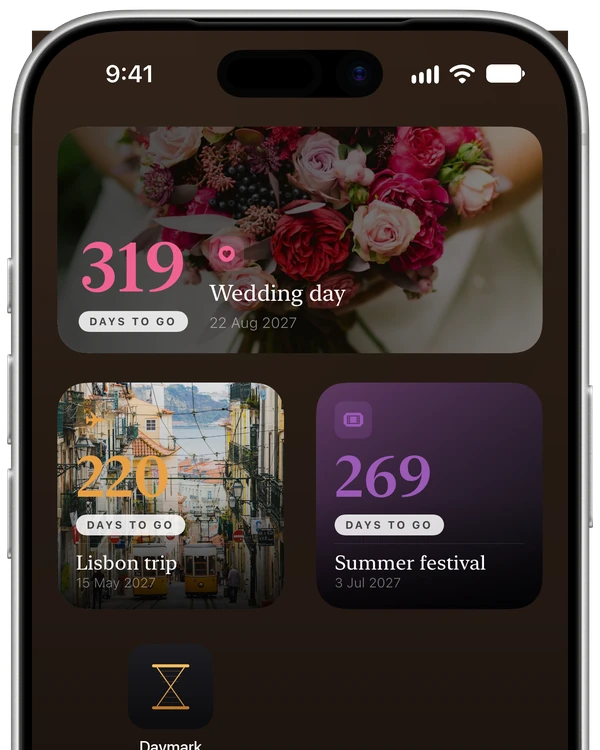
Home Screen widgets: Wedding day in 319 days, Lisbon trip in 220 days and Summer festival in 269 days.

Home Screen & StandBy Premium

Small and medium widgets with your own photos, counting every day.

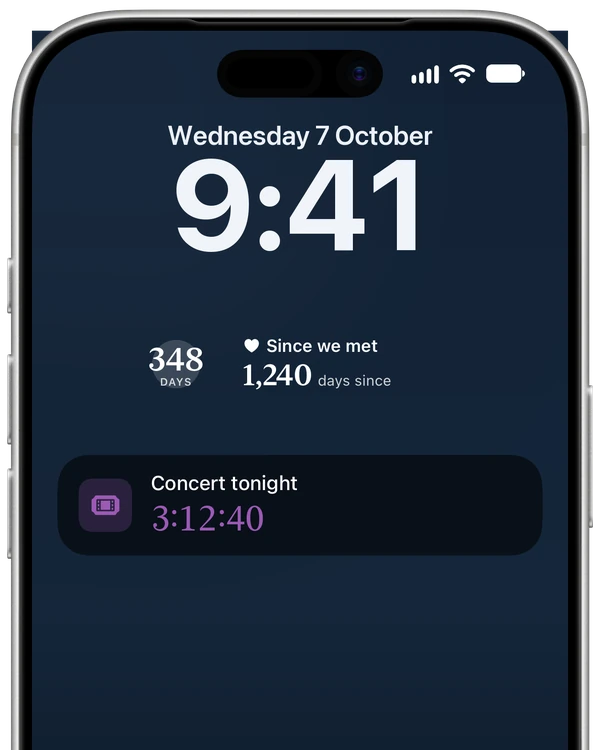
Lock Screen with widgets for the half marathon (348 days) and 1,240 days since we met, and a Live Activity counting down the last 3:12:40 to tonight's concert.

Lock Screen

A Live Activity counts down the final hours. With Premium, add widgets beside the clock.

Dynamic Island above the app: a ticket icon and 3:12:40, counting down to tonight's concert.

Dynamic Island

Your countdown stays in view while you use other apps.

iPhone Duo

Made to unfold.

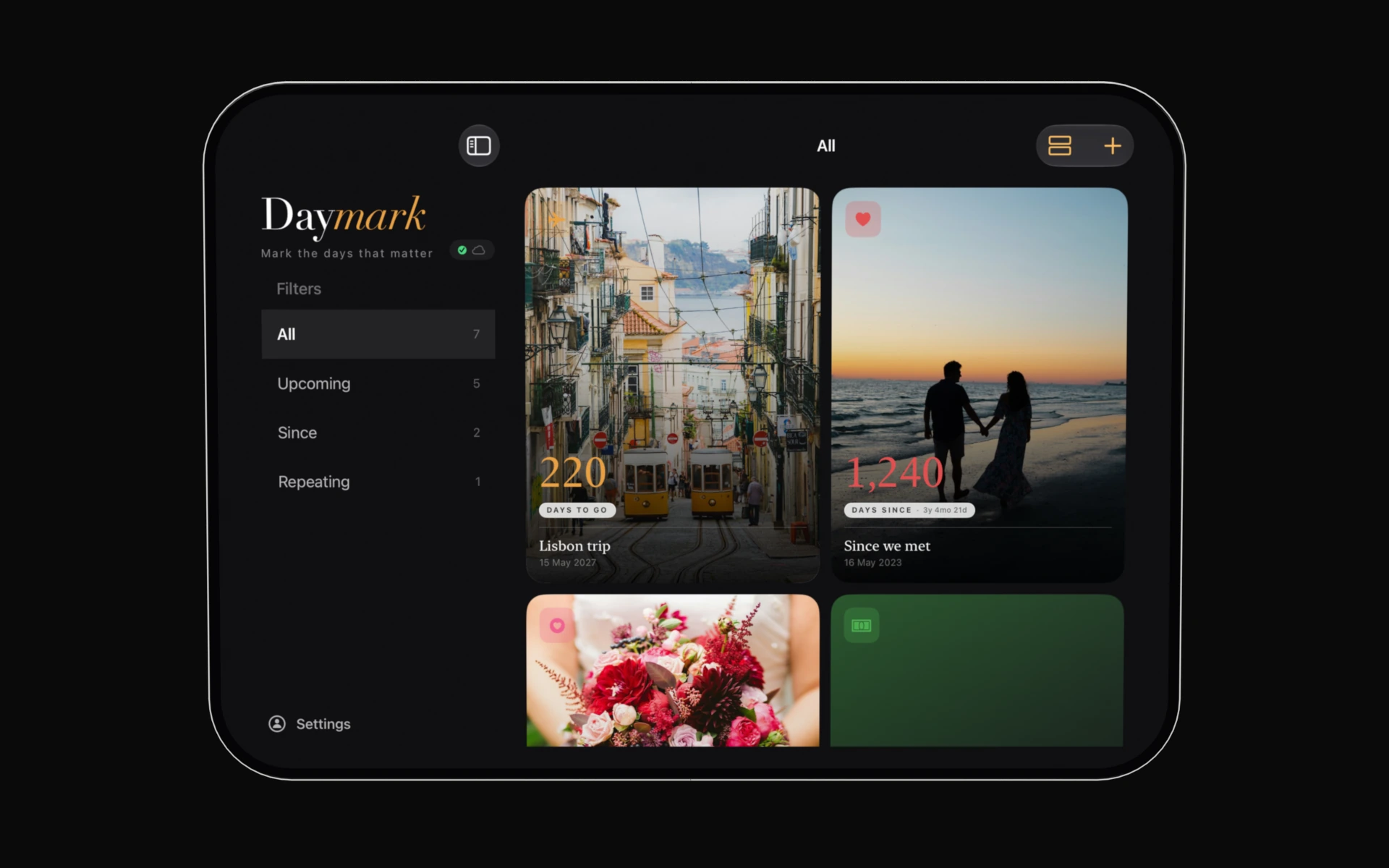
Daymark for iPhone Duo is on its way. Closed, it fits in your hand. Open it, and your daymarks spread out across the larger screen, with your filters in a sidebar beside them.

Coming soon
Apple Watch

Your days,
on your wrist.

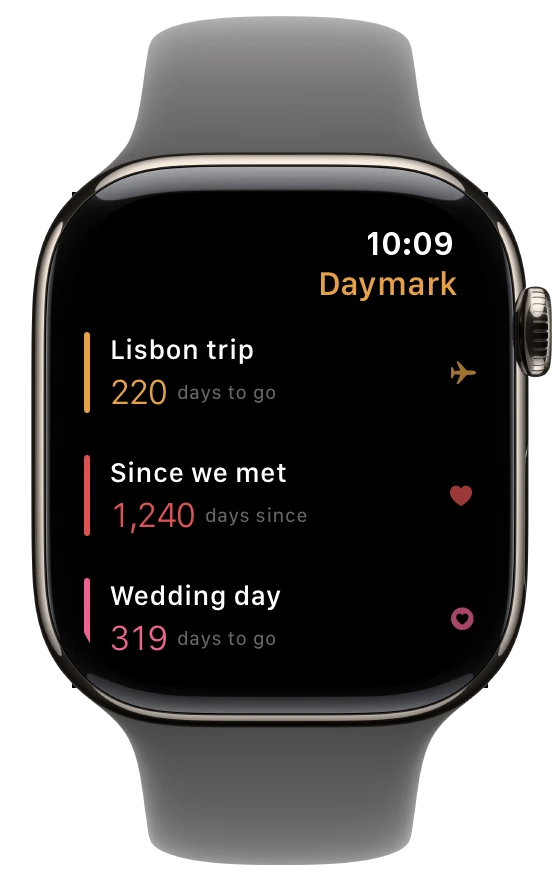
Keep your most important countdowns and count-ups within a single glance. Daymark for Apple Watch stays in sync with your iPhone and comes with Premium.

Get notified at launch Get Daymark Included with Premium · watchOS 11 or later
Daymark on Apple Watch: a list of daymarks: Lisbon trip in 220 days, 1,240 days since we met, wedding day in 319 days.
Premium
FAQ

Questions, answered.

Is Daymark free?

Yes. You can keep up to three daymarks, with reminders, Live Activities, Siri, iCloud sync and sharing, for free. Premium is a one-time purchase that unlocks everything else: $4.99 in the US and £4.99 in the UK. No subscription.

What does Premium include?

Unlimited daymarks, repeating countdowns, custom photo backgrounds, all 34 icons, Home Screen, Lock Screen and StandBy widgets, the Apple Watch app, adding daymarks to your calendar, and alternative app icons.

How do I count down to a date on my iPhone?

In Daymark, tap plus, give it a name and pick the date, then choose an icon and a colour and save. The card counts the days on your board, and Daymark reminds you a week before, the day before and on the day.

How do I see how many days have passed since a date?

Add a daymark and set it to count up instead of down. It counts the days since that date, like how long since you met or since a pet came home, and reminds you on each anniversary.

Can I put a countdown on my Home Screen or Lock Screen?

Yes. A Live Activity counts down the final hours on your Lock Screen and in the Dynamic Island, for free. With Premium, add Daymark widgets to your Home Screen, beside the clock on your Lock Screen, and in StandBy.

Do I need an account? Where is my data?

No account, no sign-in. Your daymarks are stored on your device and, if you use iCloud, in your own private iCloud. We never see them. See the Privacy Policy.

Does it sync between my iPhone, iPad and Apple Watch?

Yes. Daymarks sync through your iCloud to every device signed in to the same Apple Account. Sync is on by default and can be turned off in the app.

Does it work on Apple Watch?

Yes, with Premium. The watch app shows your daymarks at a glance and stays in sync with your iPhone. It needs watchOS 11 or later.

Will Daymark work on iPhone Duo?

It's coming soon. Daymark for iPhone Duo will use the larger inner screen to show more of your daymarks at once, with your filters in a sidebar. Leave your email below and we'll let you know when it's ready.

Will it remind me?

If you allow notifications, Daymark reminds you a week before, the day before and on the day. Count-ups get a reminder on each anniversary. Reminders are scheduled on your device.

Can I count down to something that repeats?

Yes. With Premium, a daymark can repeat weekly, monthly or yearly (the weekend, payday, a birthday) and rolls over to the next one by itself.

What do I need to run it?

An iPhone or iPad with iOS 18 or later; for the watch app, an Apple Watch with watchOS 11 or later. Daymark is available in English, German, Spanish, French, Italian, Dutch, Brazilian Portuguese and Swedish.

I bought Premium on another device. How do I get it back?

In the app, open Account and tap Restore Purchases, signed in with the Apple Account you bought it with.

How do I get in touch?

Email support@daymark-app.com. We read everything.

Daymark app icon

Be the first
to know.

Launching soon on iPhone, iPad and Apple Watch.

Start counting.

Daymark is free on the App Store, for iPhone, iPad and Apple Watch.

Download on the App Store

Almost there! Check your inbox and confirm your email. Can't find it? Look in your junk folder.

Get notified when Daymark launches

We'll email you when Daymark is on the App Store.

Almost there! Check your inbox and confirm your email. Can't find it? Look in your junk folder.